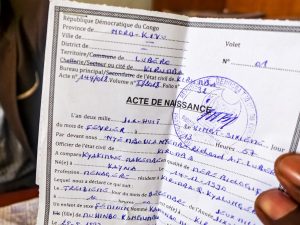
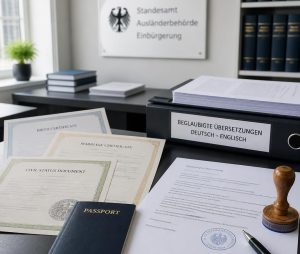
The quality of the source material is crucial when it comes to translation, especially for official documents. The clarity and accuracy of scans prepared for certified translation can significantly affect the turnaround time and the final output.
Whether you are submitting immigration paperwork, legalising a contract or having a diploma recognised abroad, how you prepare your document for translation is as important as the skill of the translator. Poorly scanned pages, unclear layouts or missing pages can lead to rejected applications, revision fees and frustrating delays.
Regardless of the device you use to prepare documents for translation, these are 4 tips for scanning documents for translation you can follow to make the process as smooth, fast and efficient as possible.
The importance of high quality scan for certified translation
A certified translation is more than just a linguistic exercise. It involves the faithful reproduction of every element of your document, including text, headings, seals, stamps, handwritten notes, dates and signatures. Court regulations require that certified translations accurately reflect the whole of the original document, including all notations.
This principle applies whether you are submitting documents to a university, a foreign consulate, an employer or a court. Decision-makers need to be able to trust that the translation reflects every element of the original document. If your scan is clean, complete and high-resolution, the translator can work with confidence. When it is not, everyone wastes time.
Before we look at these 4 tips for scanning documents for translation, it helps to understand what translators look for when they open your file. They need to read every character of text, identify every seal and stamp (including partially faded ones), confirm the page numbers and order, and check that no section has been accidentally cut off.
#1: Choose the Right Equipment
Scanning devices come in a variety of sizes and speeds. Options range from smartphone scanners for single-page documents to high-speed multifunctional printers that can scan thousands of pages per hour. Choosing the right equipment will ensure that your scanning process is smooth and efficient and produces high-quality digital files.
#2: Prepare Documents Properly
Thoroughly preparing your documents is key to avoiding errors such as paper jams, misalignment and poor scan quality. Spending a few minutes preparing your materials can save you time and frustration later on. Follow these preparation tips:
- Remove staples, paper clips, or fasteners to prevent damage to the scanner and ensure smooth processing.
- Straighten papers to avoid skewed or distorted scans.
- Standardize document sizes, trimming or adjusting them as needed, to ensure uniform results.
#3: Organise Files Strategically
Once your documents have been scanned, organising the digital files ensures they remain accessible and easy to use. A logical naming and storage system can prevent confusion further down the line. Consider these tips:
- Use consistent naming conventions, such as including the document type, date, and a brief description such as Birth_Certificate_John_Doe_2026.pdf.
- Create a structured folder hierarchy based on categories, departments, or dates.
#4: Perform Quality Control
It may seem apparent, but double-checking your scanned papers is essential. Even with the best equipment and practices, errors can still occur during scanning. Quality control checks ensure that scanned documents meet your expectations. Here’s how:
- Review each scanned file for clarity, legibility, and completeness.
- Re-scan or edit files to fix issues like blurry text, misalignment, or missing pages.
It is far preferable to redo the scanning procedure than to send a document that no one can read.
At Frenchside, we specialise in certified translations of scanned documents. We work with all document formats, from PDF to JPG and PNG. Our team provides accurate, certified translation services that preserve the original style and meaning of all files.
Contact us today for more information:
Tel: 012 348 3134 | Mobile: 081 347 6060 | Email: info@frenchside.co.za